


|
Name |
Glass Widgets |
|---|---|
|
Google Play Link |
GET IT ON
Google Play
|
|
Category |
Personalization |
|
Developer |
AppsLab Co. |
| Last version | 1.4 |
|
Updated |
|
|
Compatible with |
Android 12+ |
Introduction to Glass Widgets MOD APK
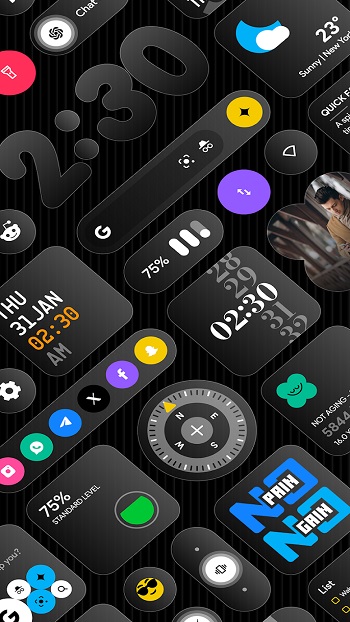
Glass Widgets MOD APK is an Android personalization app built for people who want their home screen to look clean, modern, and a little more polished than the default setup. Its main job is simple: it adds glass-style widgets that place useful information right on the screen without making the layout feel crowded.
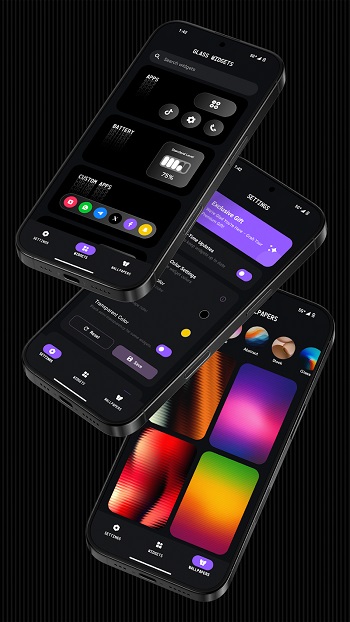
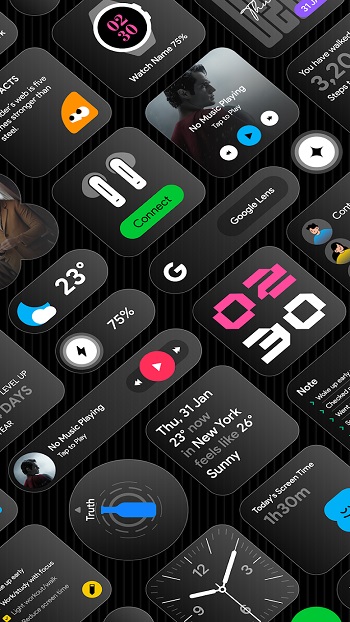
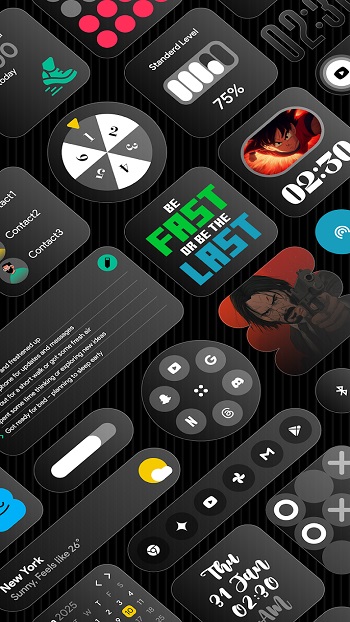
The app is used to customize both the home screen and lock screen with transparent widgets for things like time, weather, calendar events, battery level, step count, notes, photos, quick settings, and shortcuts. Instead of piecing everything together with several tools, it puts a large widget collection in one place and keeps setup fairly easy for regular users.
One of its biggest strengths is variety. There are hundreds of widget options, so users can build a minimal layout, a more decorative setup, or something practical for daily use. Color customization also matters here because glass effects can look great in screenshots but messy in real life if they clash with the wallpaper. This app gives users more control, which helps the widgets blend better with different themes.
Glass Widgets MOD APK is especially useful for people who check small bits of information many times a day and want that information to stay visible without opening apps over and over. A clock widget, a weather panel, a battery display, and a calendar block can save time in a very ordinary but very real way. It also suits users who care about aesthetics and want their phone to look tidy without turning customization into a full weekend project.
Another practical point is that it supports real-time updates for certain widgets, which helps time-sensitive items stay accurate. That matters for weather, calendar events, photos on rotation, and screen time displays. The app also includes matching wallpapers, which is a smart touch because a glass widget can look oddly random on the wrong background. With the right wallpaper, the whole screen feels more intentional.
There are a few downsides to keep in mind. Real-time widgets can use more battery than static ones, especially if several are updating often. Some users may also be cautious about permissions tied to exact alarms or foreground services, even when they are used for timely widget refreshes. The app makes the most sense for Android users who care about style and convenience, but people who prefer a plain home screen may find the level of customization a bit extra for their needs.
FAQs Glass Widgets
What is Glass Widgets MOD APK used for?
+
Glass Widgets MOD APK is used to customize an Android home screen or lock screen with glass-style widgets such as clocks, weather panels, calendars, battery displays, notes, and shortcuts.
Who should use Glass Widgets MOD APK?
+
It suits Android users who want a stylish layout with useful information always visible, especially people who like clean themes, quick access tools, and a more personalized screen.
Does Glass Widgets MOD APK need other widget apps to work?
+
Based on the provided app information, it is designed to work on its own, so users can install it and start adding widgets without depending on extra widget builder apps.
What features stand out in Glass Widgets MOD APK?
+
Its standout features include a large widget library, transparent glass-style designs, color customization, home and lock screen support, wallpaper matching, and real-time updates for selected widgets.
Are there any downsides to Glass Widgets MOD APK?
+
Possible drawbacks include extra battery use from frequently updating widgets, permission concerns for exact alarms, and the fact that heavy customization may feel unnecessary for users who prefer a simple screen.
Discover More Interesting Apps
-
 Mod
Mod
Niagara Launcher
v1.16.30
13.38 Mb
Updated -
iGlass OS Icon
v7.0
0
Updated -
iGlass OS Colors
v7.0
0
Updated -
NewThing Widgets Pro
v2.7
23.00 Mb
Updated -
Mod
ZEDGE
v9.38.3
114.34 Mb
Updated -
Mod
Lumia Kwgt
v6.0.0
86 MB
Updated -
Mod
Always On Edge
v9.7.5
8.14 Mb
Updated -
Mod
Sticlo Icons
v2.2
25 MB
Updated -
Keys Cafe
v3.11.8
43.25 Mb
Updated -
Mod
Shimeji
v14.0
17.42 Mb
Updated










Share Your Thoughts